Clean up resources
Clean up Steps
1. Delete EC2 Instance
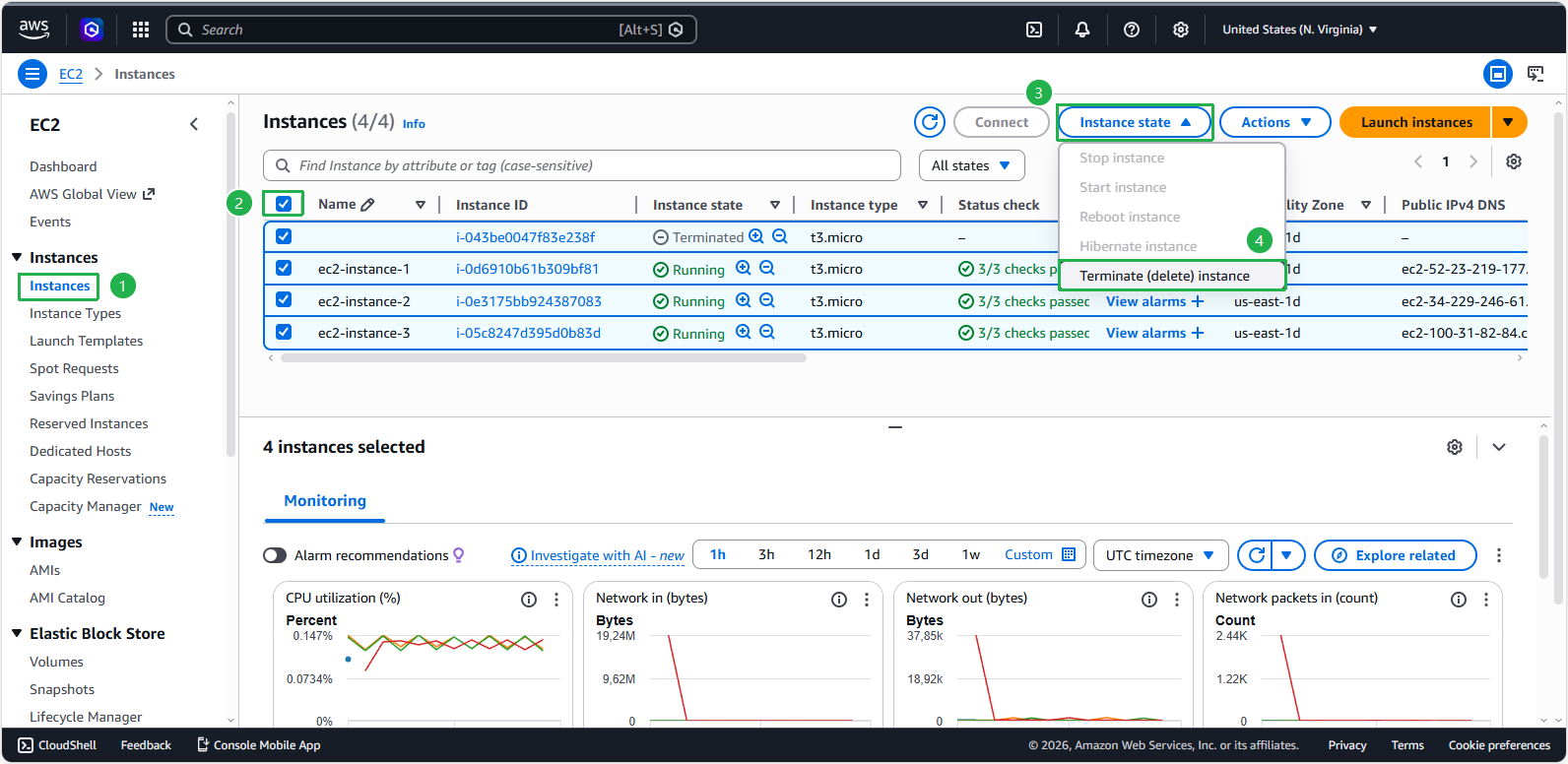
- Access the EC2 Management Console.
- On the left pane, select Instances.
- Select all EC2 Instances related to the lab
- Click Instance State.
- Click on Terminate (delete) instance.
2. Delete Resource group
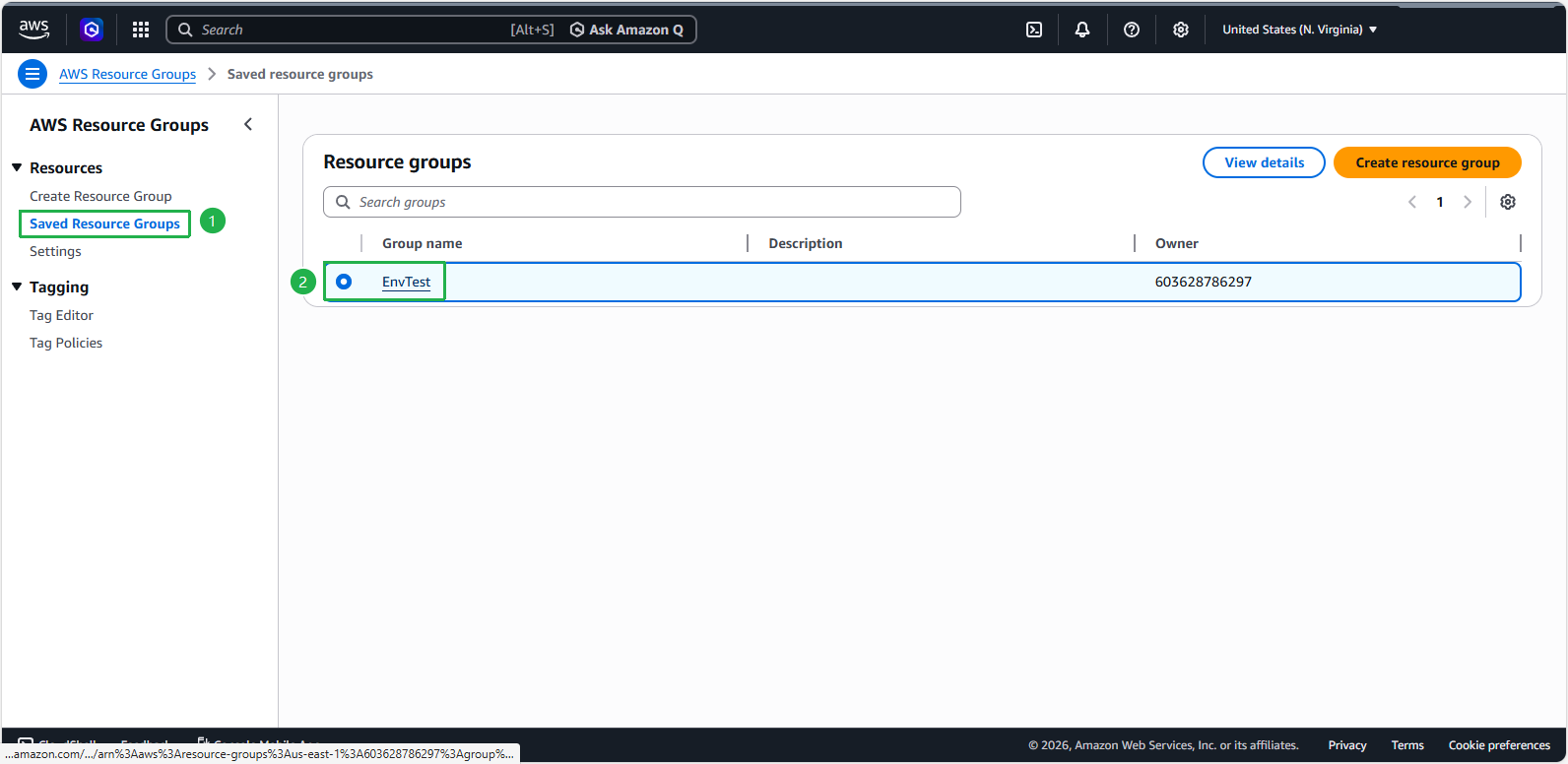
- Access the AWS Resource Group Console.
- Click Saved Resource Group in the left bar.
- Click on the Resource Group named EnvTest
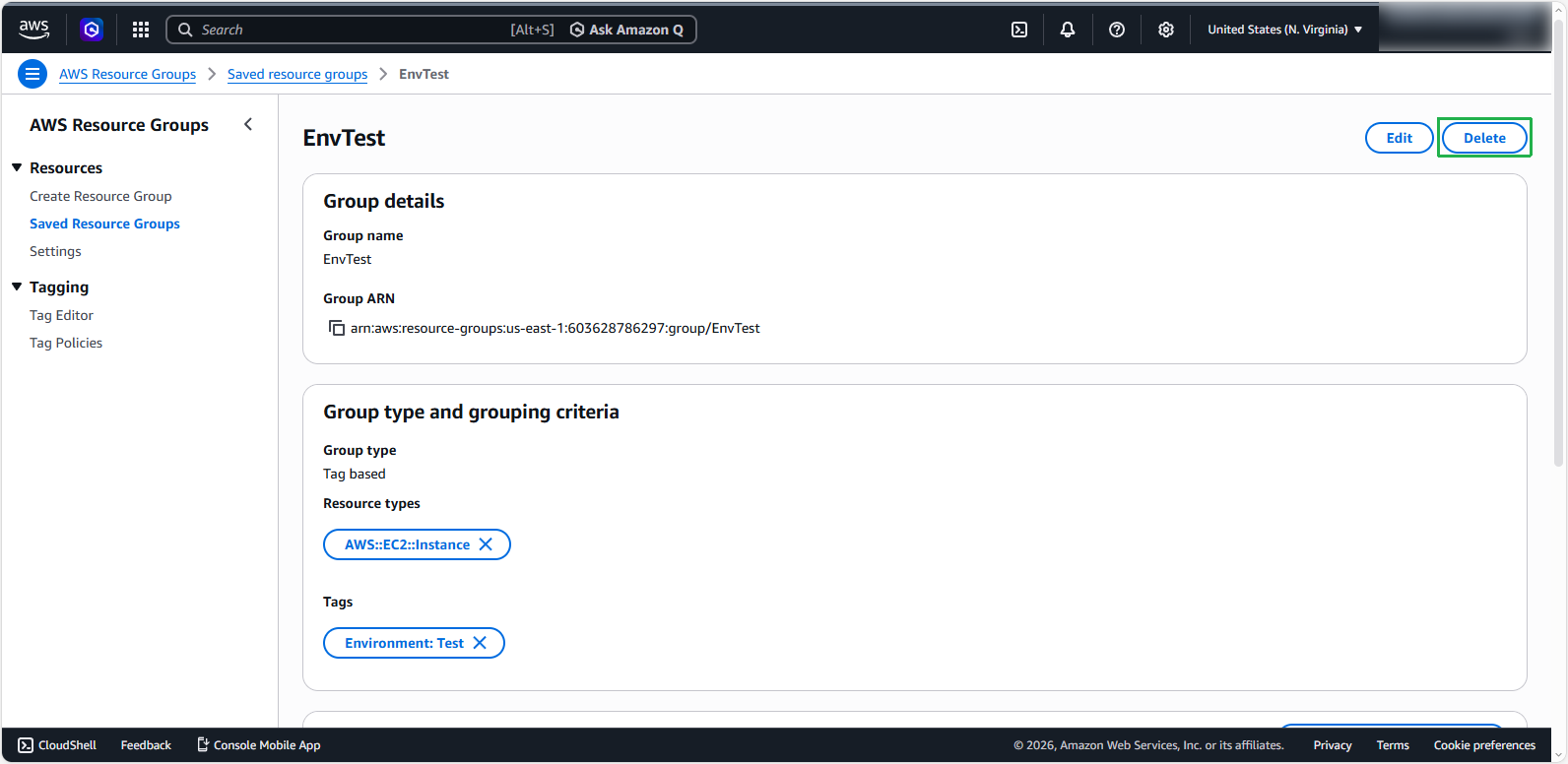
- Click Delete, then click Delete again to confirm the deletion of Resource Group.