Managing Tags in AWS Resources
Adding Tags on a Single EC2 Instance:
- Go to Amazon EC2 Console
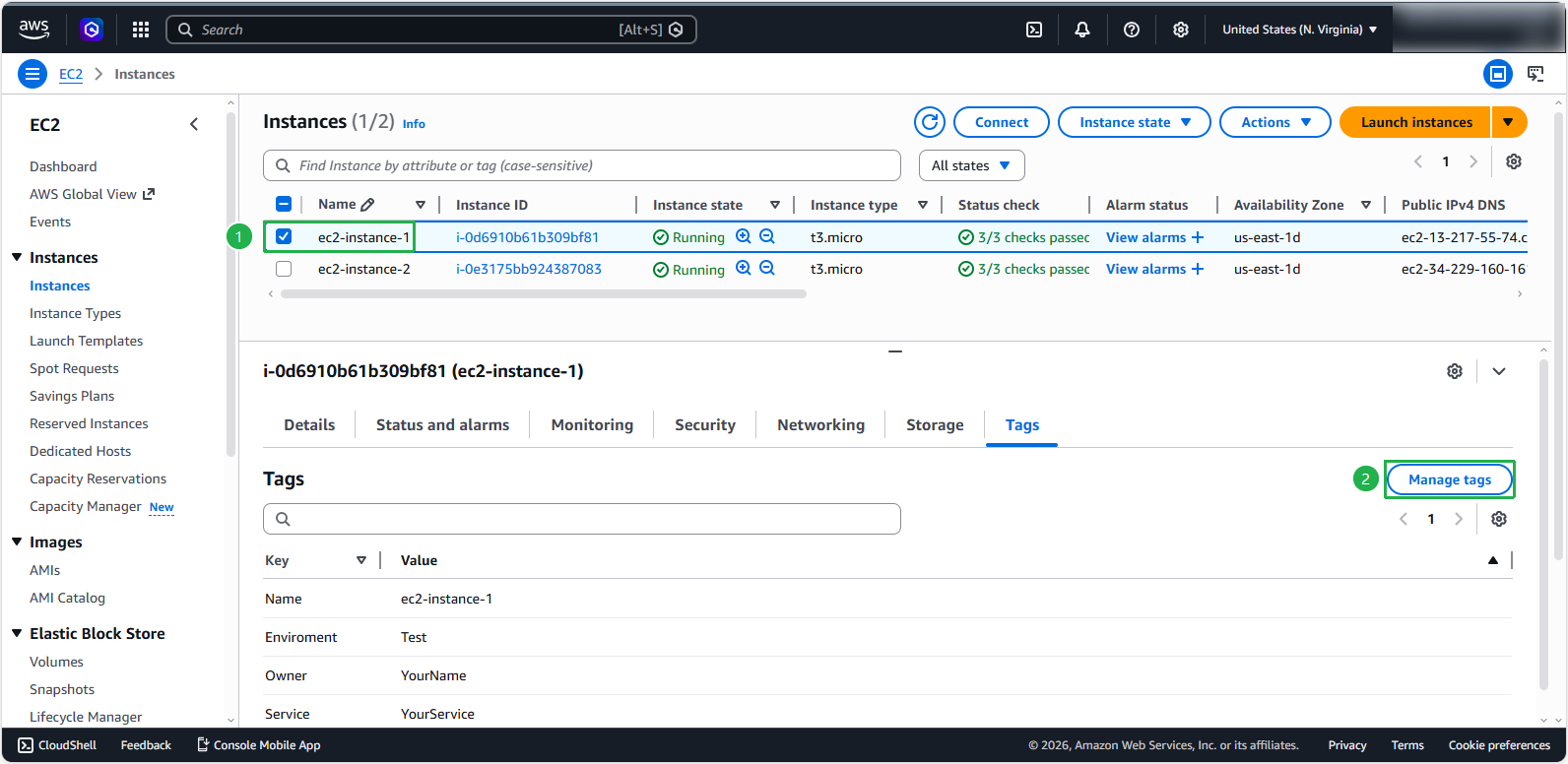
- Click on the instance you want to tag from the list of resources, select the Tags tab, and then choose Manage tags.
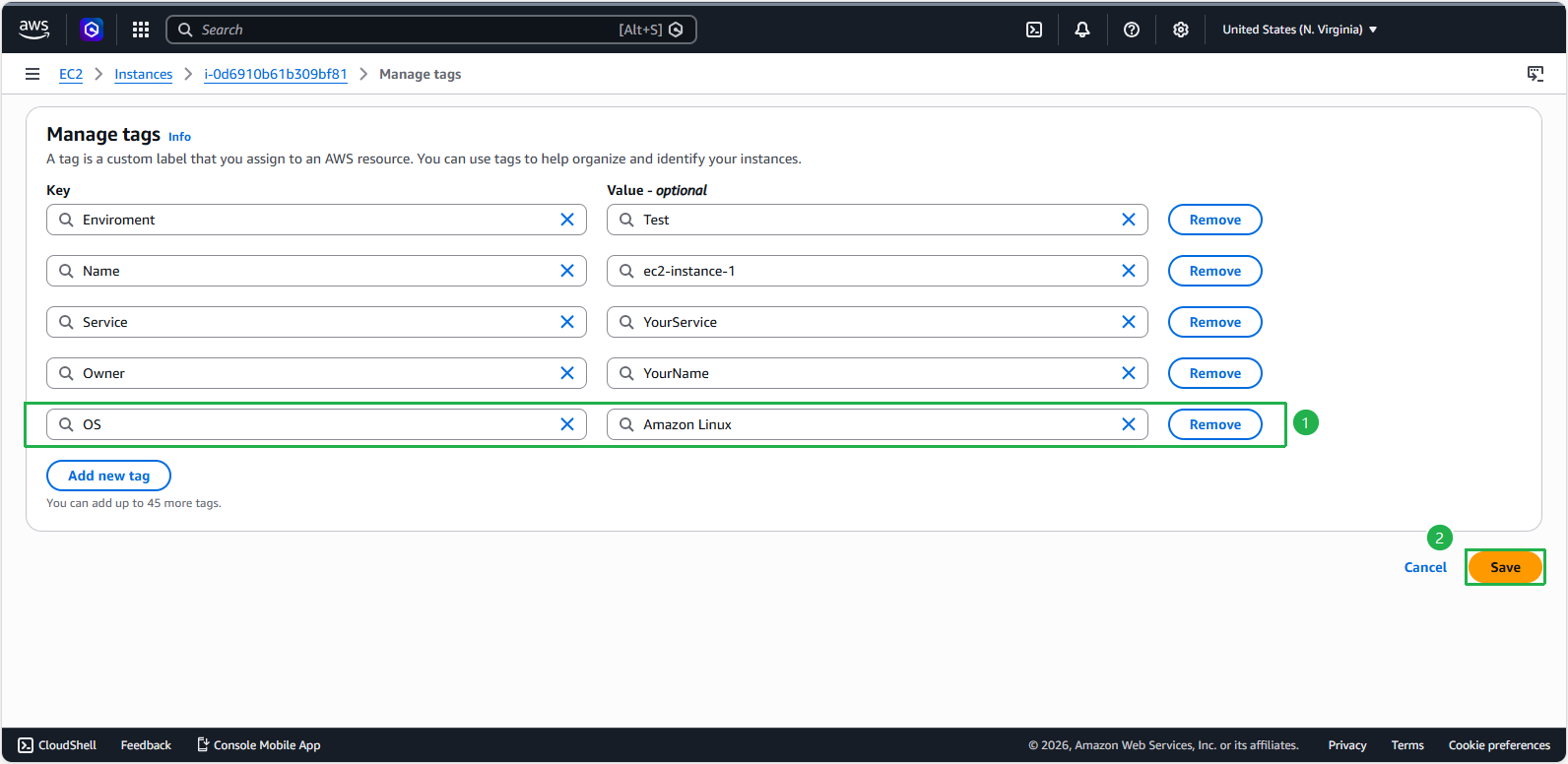
- Next, click on Add tag. Enter the Key and Value information for the tag as shown below and click Save.